Google Maps Is Now a First-Class Data Source in Anysite
Google Maps Is Now a First-Class Data Source in Anysite
Most location data workflows start the same way: a developer writes a query, hits some unofficial endpoint, parses inconsistent HTML, and prays the structure doesn't change before the next run. For Google Maps data specifically, this was the only option — until now.
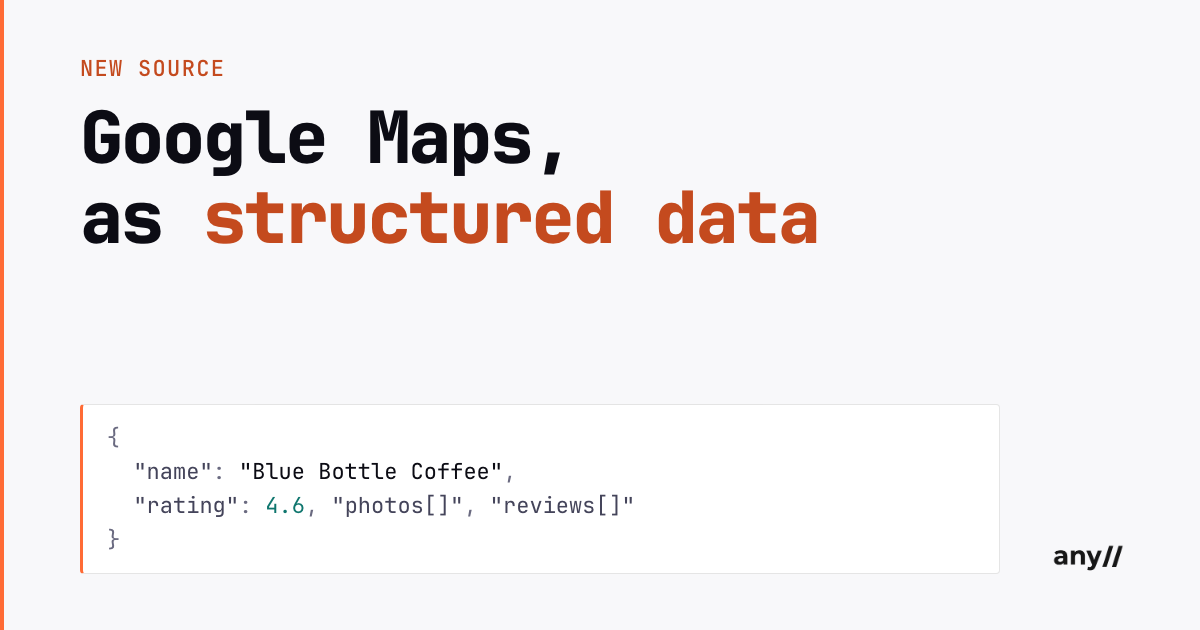
Anysite has shipped a dedicated Google Maps endpoint suite. It supersedes the older AI-based google_maps parser and gives you structured, consistent access to the full Google Maps data surface: place search, place details, reviews with owner replies, photos, and contributor (Local Guide) profiles.
What Changed and Why It Matters
Google Maps is structured as a dedicated endpoint family at /api/google/maps/. The older AI-based parser was general-purpose and worked by inference. The new endpoints are deterministic: fixed schemas, typed fields, documented error codes.
The practical difference is reliability at scale. When you're building a local lead list for 2,000 businesses or pulling review streams for sentiment analysis, inference-based extraction introduces variance you have to clean. Dedicated endpoints return the same field names, the same types, the same structure — every time.
According to a 2023 BrightLocal study, 98% of consumers used the internet to find information about local businesses, and Google Maps is the primary surface where that discovery happens. For any product that touches local business intelligence, Maps data isn't supplementary — it's foundational.
"The shift from AI-inferred extraction to structured endpoints is the same transition that happened in the broader web data space: from scraping to APIs. Deterministic schemas matter when you're building pipelines, not demos." — Anysite engineering
The feature_id Flow
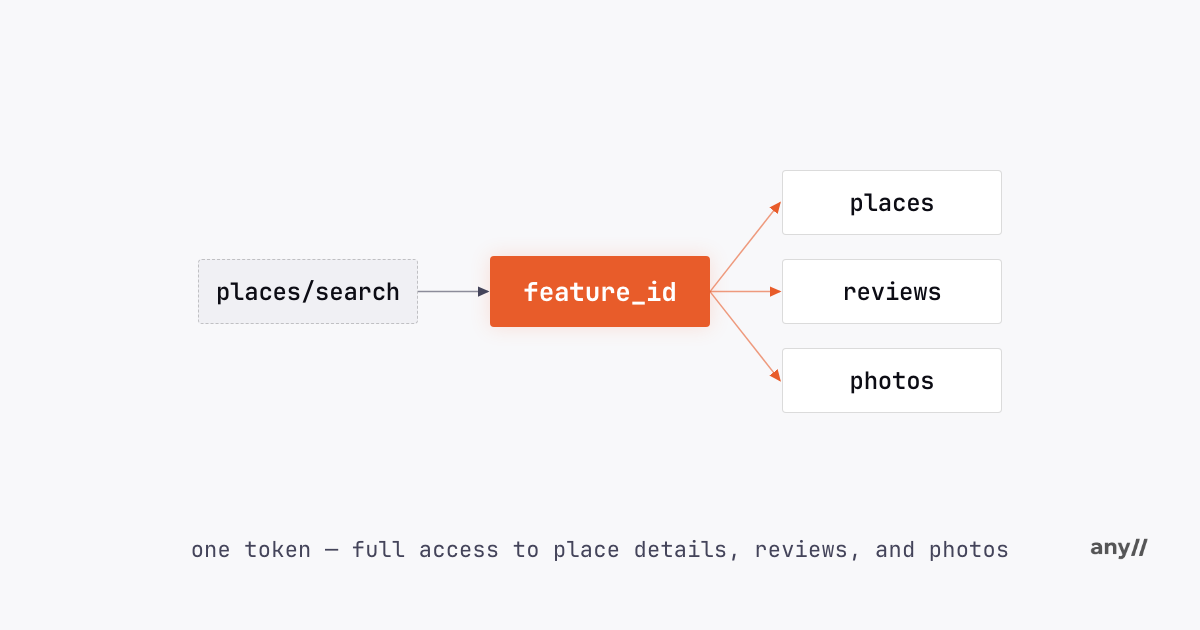
The endpoint design centers on a single key concept: the feature_id.
When you call places/search with a free-text query, each result carries a feature_id — a hex-form place identifier (0x..:0x..) that uniquely identifies that location in Google Maps. You pass that identifier to the other endpoints to drill into a specific place.
places/search ──(feature_id)──> places   (full place details)
                              └> reviews  (review stream + owner replies)
                              └> photos   (the place's photo set)
This design is deliberate. Search is cheap — use it to find what you're looking for. The downstream endpoints give you depth on the places that matter.
Finding Places
Search takes a free-text query and returns a list of matching businesses or points of interest:
curl -X POST "https://api.anysite.io/api/google/maps/places/search" \
  -H "access-token: YOUR_TOKEN" \
  -H "Content-Type: application/json" \
  -d '{"query": "blue bottle coffee san francisco", "count": 20}'
Use the feature_id from your search response wherever you see the 0x..:0x.. placeholder below.
Each result includes the feature_id, plus place_id and cid for cross-referencing with other Google Maps APIs, plus a full complement of place data: name, address, neighborhood, coordinates, timezone, categories, primary category, rating, review count, price level, phone, website, domain, description, thumbnail image, menu URL, hours, and attributes.
For location-biased searches — where you want results near a specific point — pass latitude, longitude, and zoom together. The zoom parameter controls the effective search radius on a 1-21 scale — higher values narrow the radius around the lat/long center.
Place Details and Location Enrichment
Once you have a feature_id, places returns the complete structured record for that location:
curl -X POST "https://api.anysite.io/api/google/maps/places" \
  -H "access-token: YOUR_TOKEN" \
  -H "Content-Type: application/json" \
  -d '{"feature_id": "0x..:0x.."}'
The field set is identical to what search returns — which means your processing pipeline doesn't need to branch based on how you acquired the feature_id. A place name becomes structured coordinates, business hours, verified phone numbers, and category classifications in a single call.
For location enrichment use cases — turning a flat list of business names into machine-readable records — this is the core operation.
Review and Reputation Mining
The reviews endpoint returns the full review stream for a place, including owner replies:
curl -X POST "https://api.anysite.io/api/google/maps/reviews" \
  -H "access-token: YOUR_TOKEN" \
  -H "Content-Type: application/json" \
  -d '{"feature_id": "0x..:0x..", "count": 50}'
Each review object carries: id, rating, text, relative_date, created_at, language, author, images (any photos attached to the review), and — critically — owner_reply and owner_reply_at. Owner replies are where a business's service posture becomes legible. A company that replies to every negative review within 24 hours behaves differently from one that never engages.
For sentiment analysis, competitive intelligence, or building reputation dashboards, this data surface is unusually rich. Reviews are user-generated, unfiltered, and timestamped. Owner replies add a second signal: how a business manages its public presence.
Photo Sourcing
The photos endpoint is what makes the Google Maps suite distinct from most data sources in this category:
curl -X POST "https://api.anysite.io/api/google/maps/photos" \
  -H "access-token: YOUR_TOKEN" \
  -H "Content-Type: application/json" \
  -d '{"feature_id": "0x..:0x..", "count": 40}'
Each photo object returns: id, image (direct URL), caption, width, height, and source. The response header X-Total-Available-Results tells you how many photos are available for the location — useful for deciding whether to paginate.
Photo sourcing from Google Maps has real applications in real estate, travel, food and beverage, and retail analytics. A venue's photo set tells you things that structured data cannot: layout, ambiance, crowding patterns, seasonal decoration. It's a visual signal layer on top of the structured record.
Note: photos cost 20 credits per 20 results — priced to reflect the compute involved in resolving and returning image assets.
Local Guide Profiles
Google Maps has a contributor ecosystem that most data workflows ignore entirely. Local Guides — Google's tiered contributor program — produce a meaningful share of Maps content. Higher-level Local Guides tend to review many venues, often verify business information, and can become recognizable voices for a region or category — the local_guide_level and contribution counts let you sort for them.
The users endpoint pulls a contributor's full profile by numeric contributor ID:
curl -X POST "https://api.anysite.io/api/google/maps/users" \
  -H "access-token: YOUR_TOKEN" \
  -H "Content-Type: application/json" \
  -d '{"user": "116272387233618717065"}'
The response covers identity (name, image, bio, points, local_guide_level, is_local_guide) and a detailed contribution breakdown: review_count, photo_count, video_count, answer_count, rating_count, edit_count, caption_count, place_added_count, road_added_count, fact_checked_count, qa_count.
This is a meaningful data surface for influencer research (top Local Guides in a city or vertical), community mapping (who are the authoritative voices on a neighborhood), and data quality validation (reviews from level-7 contributors carry different signal weight than first-time reviewers).
The companion endpoint — users/reviews — pulls every review a contributor has written, up to 200:
curl -X POST "https://api.anysite.io/api/google/maps/users/reviews" \
  -H "access-token: YOUR_TOKEN" \
  -H "Content-Type: application/json" \
  -d '{"user": "116272387233618717065", "count": 100}'
Each item includes the standard review fields plus the reviewed place — so you can traverse the network: contributor → places they've reviewed → other reviews of those places.
One caveat: contributors can keep their reviews private. An empty response for users/reviews is a valid outcome even when the profile shows a review count. The API returns a 412 for cases where no data is available at all (profile not found, no photos for a place, etc.).
Five Use Cases with the Full Stack
1. Local Lead Lists
Search a category and city — "coffee shop austin texas", "law firm chicago" — to get a structured list of businesses with phone, website, rating, hours, and address. Use places to enrich any record where you need more detail. Filter by rating, category, or attributes to narrow to qualified prospects.
2. Reputation Monitoring
Pull a competitor's review stream over time. Track owner_reply rates, average rating, and review velocity. Owner reply cadence and sentiment are operational signals that press releases don't capture.
3. Photo Sourcing for Listings and Content
For real estate, travel content, or retail category pages, photos returns production-ready image URLs with dimensions and captions. X-Total-Available-Results tells you whether you're working with a deep photo set or a thin one.
4. Local Influencer Research
Find high-level Local Guides in a target geography using users. Pull their review history with users/reviews to see which venue categories they cover and what positions they take. Useful for identifying regional voices for partnership or outreach.
5. Location Data Enrichment
Take a flat list of venue names and run them through places/search. The feature_id gives you a stable, Google-native identifier to attach structured attributes: verified hours, coordinates, category taxonomy, price level, and the live review count. The feature_id also stays stable as a cross-reference across later pulls.
A Note on the Transition from the AI Parser
The older google_maps AI-based parser worked on inference. It was useful for ad-hoc extraction but introduced schema variance that made pipeline building difficult. The dedicated endpoint suite replaces it with fixed schemas and typed fields.
If you're currently using the AI-based parser for Google Maps data, migrate to the /api/google/maps/ endpoints. The structured output is cleaner, the error handling is explicit, and the feature_id flow gives you a reliable anchor for multi-step data operations.
The full API reference is at docs.anysite.io.
Google Maps is one data source in a broader infrastructure layer. The same pipeline approach — search, identify, drill down — applies across Anysite's other pre-built endpoint families. For anything beyond those pre-built sources, point the AI engine at any URL and it generates a structured endpoint on demand.